eBay Tips

How to Cancel an eBay Listing in the UK (Without Triggering a Defect) — 2026 Guide

Three different eBay actions — revise, end early, cancel order — with different rules and different defect impacts. Pick the wrong one and a single cancellation can drag your defect rate close to the 2% Below Standard line. Verified May 2026.

14 May 2026 11 min read

Buying on eBay and want to cancel?

This guide is for sellers. If you bought an item and want to cancel the order or request a refund, eBay has a dedicated how buyers can cancel an order help page that covers the buyer-side flow.

"Cancel a listing", "end a listing", and "cancel an order" are three different actions on eBay — with different rules, different fees, and different consequences. Pick the wrong one and the worst-case outcome is real money: a single cancellation marked under the wrong reason can drag your account into Below Standard, where eBay adds 6 percentage points to your selling fees on every sale for the following month.

This guide covers all three actions: when each one applies, exactly how to do it, which cancellation reasons cost you, and the hidden auction-end fee that catches sellers out. Verified against eBay's published policies, May 2026.

TL;DR — three different actions, three different rules

Revise a listing

When: Listing hasn't sold yet — you want to change details
Cost: Free (unless adding a paid upgrade)
Defect impact: No defect

End a listing early

When: Listing hasn't sold yet — you want to take it down
Cost: Free for fixed-price + auctions with no bids. Auction with bids + reserve not met: 5% of highest bid (max £20) for private sellers, FVF on highest bid for business sellers.
Defect impact: No defect (but eBay can limit your account if you do it regularly)

Cancel an order

When: Listing has sold — you need to undo the sale
Cost: Refund to the buyer. FVF and per-order fees may be credited back depending on the reason.
Defect impact: Depends on the reason. Out-of-stock = defect. Buyer asked / address issue / unpaid = no defect.

The two mistakes most sellers run into: picking "out of stock" when they could have cancelled under "buyer asked" (creates an unnecessary defect on their record), and ending an auction with live bids (gets hit with the 5% or full-FVF fee that nobody warned them about). Both fixable once you know the rules.

Which action do you actually need?

Walk through this quickly before doing anything else — it'll save you from picking the wrong path:

  • "I want to fix a typo, change a photo or lower the price" → Revise the listing (it doesn't need to come down)
  • "The listing hasn't sold and I want to remove it" → End the listing early
  • "The item sold but I haven't dispatched yet — I need to undo this sale" → Cancel the order
  • "The item sold AND I've already dispatched it" → You can't cancel. The buyer has to either accept delivery or open a return when it arrives.
  • "I want to clean up old sold/ended listings from my history" → Different action again (see the dedicated section below)

Revise a listing — change details without taking it down

If your problem is a typo, a wrong photo, an inflated price, or missing item specifics, you usually don't need to cancel anything. eBay lets you revise active listings free of charge (unless you're adding a paid listing upgrade like Subtitle or Gallery Plus).

How to revise a listing:

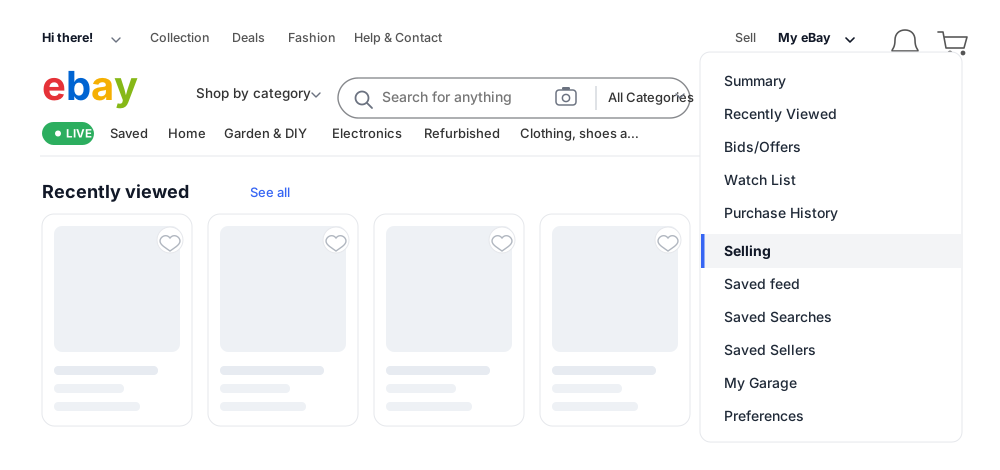
  1. Go to Seller Hub → Active Listings (or My eBay → Selling Activity)
  2. Find the listing and select Revise from the More actions dropdown
  3. Make your changes and select Revise it to save

You can also revise multiple listings at once from Seller Hub by checking each one and using the bulk Edit dropdown.

What you can and can't revise — depends on what's happened to the listing

What you can revise on an eBay UK listing — verified May 2026
Listing typeAlways allowedRestricted when...
Fixed price (Buy It Now)Title, photos, listing upgrades, item specifics, descriptionOnce a purchase has been made, you can't change quantity, price below sold price, or remove key fields buyers rely on. You can still lower the price freely if there have been no purchases.
Auction (12+ hours left, no bids)Title, photos, upgrades, description, start price — you can lower the priceMost fields editable; very few restrictions while no one's bid.
Auction (12+ hours left, with bids)Limited — title and minor details onlyCan't lower start price, can't change reserve, can't make material changes that disadvantage existing bidders.
Auction (fewer than 12 hours left)Minor cosmetic edits onlyMost material changes are blocked — eBay treats the listing as committed at this stage.

You generally cannot change listing duration or listing format once published — though you can convert a fixed-price listing to an auction via Seller Hub → Actions → Change to auction. If you need to sell a different item, create a new listing instead of editing the existing one. Source: eBay UK — Revise a listing.

How to end a listing early — before anyone's bought it

If the listing hasn't sold yet and you want it taken down (item went missing, you found damage, you listed at the wrong price), you can end it early. eBay calls this "ending a listing", not "cancelling" — the cancellation flow is for orders that have already gone through.
How to end a listing early:

  1. Go to Seller Hub → Active Listings (or My eBay → Selling Activity)
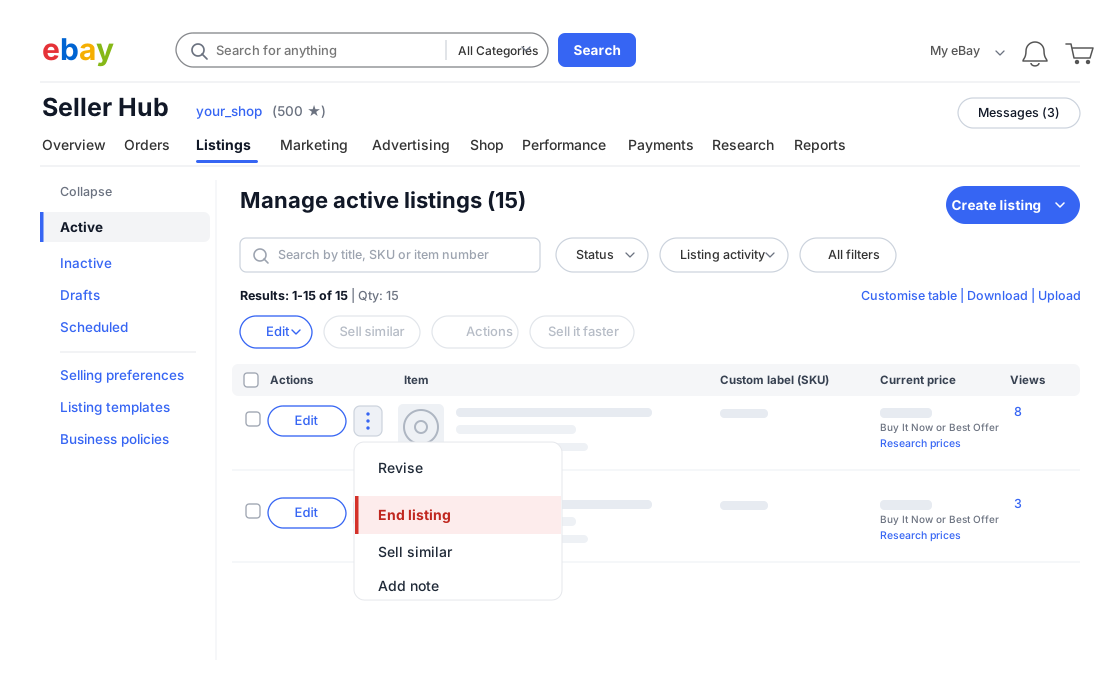
  2. Find the listing and select End listing (sometimes under the More actions dropdown)
  3. Pick a valid reason: "I lost or broke the item", "I made a mistake in my listing", "The item is no longer available"
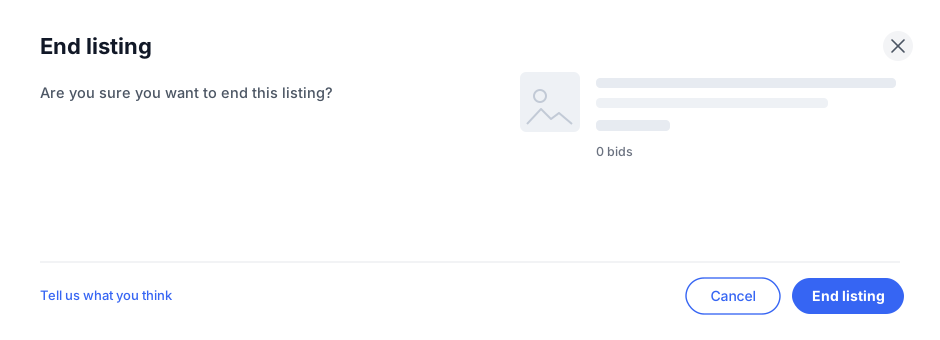
  4. Confirm

Whether you can end early depends on format, time left, and whether anyone's bid

eBay always lets you end fixed-price listings early. Auctions are restricted — particularly in the final 12 hours and once they have live bids:

Ending an eBay UK listing early — fees and restrictions by scenario
ScenarioCan you end early?Cost
Fixed-price listing (any state, including with open offers)YesNo fee
Auction — 12+ hours left, no bidsYesNo fee
Auction — 12+ hours left, has bids, reserve NOT metYesPrivate sellers: 5% of highest bid, capped at £20. Business sellers: a full FVF based on the highest bid.
Auction — 12+ hours left, has bids, reserve met (or no reserve)No — must sell to highest bidder
Auction — under 12 hours left, no bidsYesNo fee
Auction — under 12 hours left, has bids, reserve NOT metYesSame fee as above (5% / £20 cap private, FVF business)
Auction — under 12 hours left, has bids, reserve met / no reserveNo — must sell to highest bidder

If you can't end early because there are bids and the reserve is met (or there's no reserve), you can contact bidders explaining the situation and ask them to retract their bids. After the auction ends, you can also contact the winner and, with their agreement, cancel the order. Source: eBay UK — Ending a listing.

Ending listings early too often = account restrictions

eBay explicitly states they may place limits and restrictions on your account if you end listings early regularly. It's not a per-listing defect like cancelling a sale under "out of stock" is, but the cumulative behaviour can attract its own penalty. Use the revise flow first if you can; only end early when the item genuinely can't be sold.

How to cancel an order after it's already sold

This is the one where the wrong choice costs you. Once a sale has gone through, "cancelling" means cancelling the order — and the reason you pick decides whether eBay logs a transaction defect against your account.

How to cancel a sold order:

  1. Go to Seller Hub → Orders (or My eBay → Sold)
  2. Find the order and select Cancel order
  3. Pick a reason from the list (the choice you make here is the one that matters)
  4. Confirm — a full refund issues automatically to the buyer's original payment method

The 30-day window

You can cancel a sale up to 30 calendar days after the order date. After that, eBay closes the option entirely. If a buyer is asking to cancel an old order more than 30 days back, your only routes are either fulfilling it anyway or asking them to open a return when it arrives.

Cancellation reasons — which ones count as a transaction defect

This is the most important table in the article. eBay treats different cancellation reasons completely differently when it comes to your seller standards. Same outcome for the buyer; very different cost to your account.

eBay UK cancellation reasons — verified against eBay's Order Cancellation Policy, May 2026
Reason you pickWho initiatedTransaction defect?Feedback impact
Buyer asked to cancelBuyer requested, seller accepted/declinedNo defectAny negative/neutral feedback removed regardless of accept/decline
Buyer used the wrong delivery address at checkoutSellerNo defectStandard feedback rules apply
Buyer didn't pay (after 4-day waiting period)Seller (or eBay automatically)No defectAny feedback the buyer left is removed; no seller standards impact
Item is out of stockSellerDEFECT — counts toward the 2% Below Standard thresholdBuyer can still leave feedback on the cancelled transaction
Item is damaged or lost before dispatchSellerDEFECT (treated like out-of-stock)Buyer can still leave feedback

Source: eBay UK — Order cancellation policy. Defect rate is measured over a rolling 12-month window (3 months for very high-volume sellers). Cross the 2% threshold and you're Below Standard, with a +6 percentage point surcharge on every sale in the following calendar month.

The most expensive mistake on this page

If a buyer messages asking to cancel before you've dispatched, ask them to formally submit a cancellation request through eBay's "buyer requested cancellation" flow. Don't pick "out of stock" yourself just because it's faster. Same end result for the buyer — refund and no order — but you avoid the transaction defect. The buyer-asked path also removes any negative or neutral feedback automatically.

The 3-day response rule when a buyer requests cancellation

If the buyer is the one submitting the cancellation request, you have 3 calendar days to respond. What happens next depends on whether they've already paid:

  • Buyer has paid + you don't respond in 3 days: the request is closed and the order is not cancelled — you're now expected to fulfil it
  • Buyer hasn't paid + you don't respond in 3 days: eBay automatically cancels the order on your behalf
  • You accept the request (within 3 days): order cancelled, full refund issued, no defect, any negative feedback removed
  • You decline the request: order stands, buyer's negative/neutral feedback is still removed (eBay's policy)

What you can't cancel — and what to do instead

eBay won't let you cancel a sale in any of these situations:

  • You've already marked the item as dispatched — wait for the buyer to receive it, then handle as a return
  • The buyer has reported the item hasn't arrived (INR) — handle as an INR case via the Resolution Centre
  • The buyer has already opened a return request — handle as a return; you can refund through that flow
  • It's more than 30 calendar days since the order was placed — eBay closes the cancellation option entirely

If you genuinely can't dispatch (lost stock, breakage, etc.) and the order is past the dispatch-marked stage, message the buyer apologising, dispatch a refund through eBay's Send Refund flow (not as a cancellation), and accept that this will likely be logged as "case closed without seller resolution" if the buyer escalates. That's the second of the two objective Below Standard triggers (>0.3% of orders).

The defect maths — how many cancellations push you Below Standard

eBay's 2% transaction defect rate threshold is calculated over your last 12 months of sales (3 months for very high-volume sellers). For a more concrete picture of how thin that margin is:

How many transaction defects different volume sellers can absorb before crossing the 2% Below Standard threshold
Monthly sales volumeAnnual sales (12 mo)Defects allowed before 2% thresholdHow quickly that's eaten
10/month1202 defectsTwo out-of-stock cancellations in a year — done
30/month3607 defectsLess than one per month before you're at the line
100/month1,20024 defectsTwo per month buffer — tight in busy seasons
300/month3,60072 defectsSix per month — survivable but you'd notice
1000/month12,000240 defectsTwenty per month — only at-risk during major operational issues

Low-volume sellers are far more exposed than high-volume ones. Two unfortunate out-of-stock cancellations on a 120-sales-a-year account is enough to drop you Below Standard — at which point every sale for the next month costs an extra 6 percentage points in FVF. Worth picking cancellation reasons carefully.

What you get refunded when you cancel

The fee credit you get back on a cancellation depends on whether the reason is "outside your control" (no defect) or "within your control" (defect). The mechanic is the same as for refunds in general — full credit if it wasn't your fault, FVF-only credit if it was:

  • Buyer asked to cancel / address issue / unpaid: Full FVF (variable + per-order) + regulatory fee + international fee + Promoted Listings fee all credited back
  • Out of stock / item damaged: Only the variable FVF percentage is credited. The 30p/40p per-order fee, the 0.35% regulatory fee, any international fee, and any Promoted Listings fee are not refunded — eBay keeps them as a cost of you not fulfilling.

Full fee credit mechanic with worked examples in the Fee Credits section of the eBay UK selling fees guide.

Removing sold or ended listings from your history

Some sellers searching "how to delete a listing on eBay" don't actually want to cancel anything — they want to hide a sold or ended listing from their selling history (because the item is no longer relevant, the photos are bad, or they don't want the price record on display).

The action you want here is Hide, not delete:

  1. Go to Seller Hub → Listings → Sold or Unsold
  2. Find the listing you want to hide
  3. Select the checkbox and choose Hide from the dropdown

The listing is removed from your public selling-history view but the transaction record (for accounting and tax purposes) stays on your account. eBay does not permit fully deleting a sold listing — the transaction has to remain on record for HMRC reporting and dispute purposes.

For ended (unsold) listings, the Hide action effectively removes them from view. If you want to relist an old item, find it under Sold → All or Unsold and choose Sell similar or Relist.

Common mistakes that cost UK sellers money

  1. Picking "out of stock" when the buyer asked to cancel. The single most expensive mistake on this page. Same outcome for the buyer, totally different cost for you. If the buyer messaged you asking to cancel, get them to submit it via the cancellation request flow.
  2. Ending an auction with bids and reserve NOT met without checking the fee. Private sellers pay 5% of the highest bid (max £20). Business sellers pay a full Final Value Fee based on the highest bid — which can be substantial on a high-value auction.
  3. Marking the order as dispatched before you've actually dispatched it. Once it's marked, the cancellation flow is closed and you're committed to the delivery. If you're unsure whether you'll fulfil (item misplaced, packaging issue, second-guessing the buyer), don't mark dispatched until you've actually handed it to the courier.
  4. Not responding to a buyer's cancellation request within 3 days. If they've paid and you don't reply, the request gets closed and you have to fulfil. If they haven't paid, the order auto-cancels (which is fine for you, but not the outcome you might've wanted).
  5. Marking a buyer as "didn't pay" when they actually did. eBay calls this out explicitly: falsely picking the unpaid reason is a policy violation that can result in account suspension. Don't do it.
  6. Ending listings early frequently. Not a per-listing defect like cancelling a sale, but eBay can apply account-level restrictions if you do it regularly. Revise instead where you can.

FAQ — the cancellation panic questions

Can I cancel an order after I've dispatched it?

No. Once the order is marked as dispatched, the cancellation flow is closed. Your options are: wait for the buyer to receive the item and decide (they may accept it), or wait for them to open a return through the eBay Money Back Guarantee. MBG covers the buyer for 30 days from the estimated or actual delivery date, and they can open a case under one of three categories — item hasn't arrived, item doesn't match the listing, or seller isn't honouring their return policy. Each is its own refund flow that handles the money side; you don't issue a separate cancellation.

How many cancellations can I have before I'm Below Standard?

Only the cancellations that count as transaction defects matter — out-of-stock cancellations and similar seller-fault reasons. Buyer-requested cancellations, address-issue cancellations, and unpaid-item cancellations don't count. The threshold is 2% of your total transactions over the last 12 months (3 months for very high-volume sellers). For a seller doing 120 transactions a year, that's just 2 defects before you cross the line. See the defect-maths table above for other volume tiers.

Will I get the FVF refunded if I cancel?

Yes for the variable FVF — eBay always credits that back. The 30p/40p per-order fee and the 0.35% regulatory fee only get refunded if the cancellation reason was outside your control (buyer asked, address issue, unpaid). If you cancelled under out-of-stock, you keep the variable FVF refund but lose the fixed fees. Full mechanic in the fee credits section of the main fee guide.

The buyer didn't pay — does cancelling count against me?

No. Cancelling for non-payment is the cleanest cancellation type: no transaction defect, any feedback the buyer left is automatically removed, and your seller standards are not affected. The 4-calendar-day wait starts the moment the buyer commits to buy (winning an auction, accepting an offer, clicking Buy It Now). After day 4 you can cancel under "buyer hasn't paid" any time up to day 30 of the order.

One exception: eBay Live auctions require immediate payment. If the buyer's payment fails on a Live auction, you can cancel straight away — no 4-day wait.

On the buyer's side, the unpaid cancellation is logged on their account. Buyers who rack up excessive unpaid cancellations can have seller-imposed buying limits applied, eBay-imposed restrictions, or in repeat-offender cases lose their buying privileges entirely. So while you don't get a defect, the buyer absolutely takes a hit.

Can I undo a cancellation if I made a mistake?

No. Once an order has been cancelled, the cancellation can't be undone. If you cancelled by mistake, your only path is to contact the buyer, apologise, and offer to recreate the listing for them at the same price. Many will agree to repurchase.

I ended an auction with bids — why was I charged a fee?

Because the bidders had committed to buying — ending early breaks that commitment. For private sellers the charge is 5% of the highest bid, capped at £20. For business sellers it's a full Final Value Fee on the highest bid (not capped). The way to avoid the fee: let the auction end naturally and then mutually cancel with the winner. That route is free if both sides agree.

What happens to buyer feedback on a cancelled order?

If the buyer requested the cancellation, any negative or neutral feedback is removed regardless of whether you accepted or declined. If the buyer didn't pay and you cancelled for that reason, any feedback they left is also removed. In other cancellation scenarios (out of stock, damaged), the buyer can still leave feedback on the cancelled transaction — and they often do, particularly if they're disappointed about not receiving the item.

Can I cancel a listing that's already received a Best Offer?

If the offer has been sent or received but not yet accepted, there are restrictions on what you can change. If the offer has been accepted, the listing has effectively sold to that buyer — at which point you're in cancel-an-order territory, not end-a-listing territory. The same defect rules apply: pick the reason carefully.

What if I lied about the cancellation reason — will eBay actually catch it?

Yes, and the consequences are spelled out in eBay's Unpaid Item Policy. Sellers who use "Buyer hasn't paid" when the buyer actually did pay can have all fee credits reversed for the time period in question, lose access to the fee credit system entirely, and in repeat cases be subject to account suspension. Same kind of consequence applies to other reason misuse — the system audits cancellation reasons against the actual transaction record. The defect on "out of stock" costs less than getting caught lying.

A note on sources

All figures verified against eBay's published Order cancellation policy and Ending a listing page (May 2026). eBay adjusts these rules periodically — particularly the auction-end fee schedule. If anything you see in your Seller Hub differs from what's written here, trust the live UI.

ShareXLinkedIn